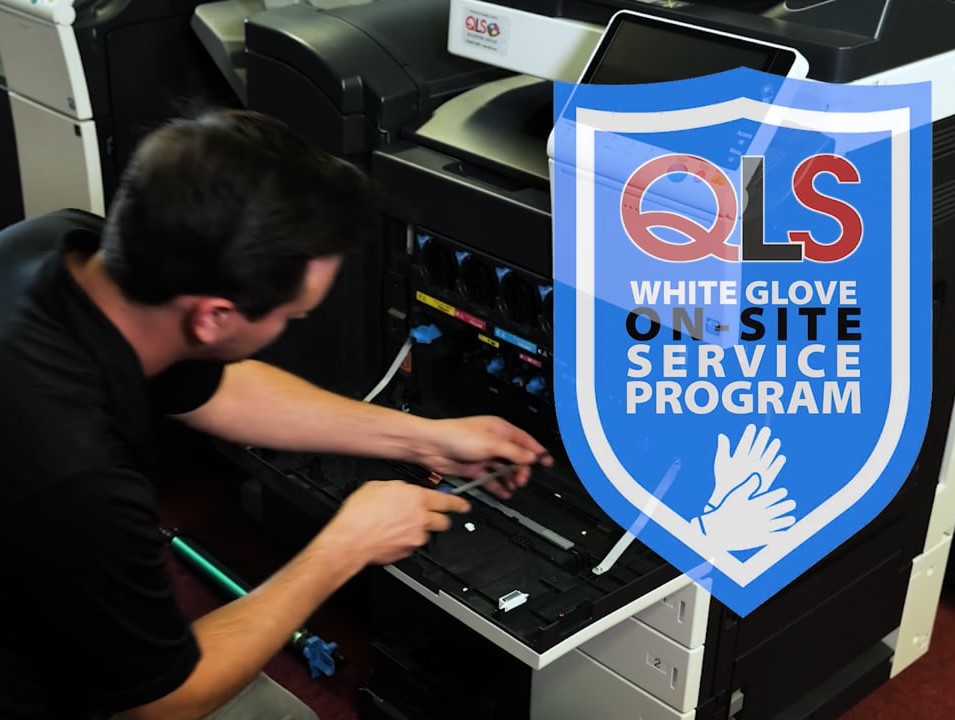
Beginner’s Essential Guide to Copier Machine Maintenance
Beginner’s Essential Guide to Copier Machine Maintenance
Introduction to Copier Machine Maintenance
In any office environment, copiers and printers are vital tools that support daily operations. Unfortunately, their importance often goes unnoticed until something goes wrong. Regular maintenance plays a critical role in keeping these machines efficient, reliable, and long-lasting. With simple, consistent care, many common copier issues can be prevented, reducing downtime and extending the life of the machine.
Whether maintenance is handled in-house or by a professional service provider, routine upkeep helps prevent breakdowns, improves performance, and protects your investment in office equipment.
Understanding Copier Components
Effective copier maintenance starts with understanding its main components:
Paper Tray – Keep the tray properly aligned, clean, and free of dust. Avoid overfilling to prevent jams.
Toner Cartridge – Replace cartridges as needed and clean up spills promptly to avoid damage.
Copier Glass – Clean regularly using the correct cleaner to prevent streaks and ensure sharp copies.
Common mistakes such as overloading the paper tray, using the wrong paper type, or mishandling toner can cause unnecessary wear. Training employees on proper copier use can significantly reduce these issues.
Daily Maintenance Practices
Daily maintenance helps keep your copier operating smoothly. Key practices include:
Cleaning the Machine – Wipe down the exterior and copier glass with a soft cloth and appropriate cleaner to prevent dust buildup and maintain print clarity.
Proper Shutdown and Startup – Always follow the manufacturer’s guidelines when powering the machine on or off. Improper shutdowns can stress internal components.
Regular Inspection – Check for visible issues such as paper jams, low toner levels, or error messages. Addressing problems early helps prevent more serious damage.
Dealing with Common Copier Issues
Even with routine maintenance, copiers may experience occasional problems such as paper jams, reduced print quality, or overheating.
Paper Jams – Carefully remove jammed paper following the manufacturer’s instructions to avoid damaging internal parts.
Poor Print Quality – This may result from low toner, dirty copier glass, or incorrect paper. Regular cleaning and timely toner replacement usually resolve these issues.
Overheating – Ensure the copier is placed in a well-ventilated area and away from direct sunlight. Ongoing overheating may require professional service.
Preventative Maintenance
Preventative maintenance focuses on identifying potential issues before they become major problems. This approach helps maintain optimal performance and extends the copier’s lifespan.
Scheduled Inspections – Inspect the copier weekly or monthly, depending on usage, for signs of wear or malfunction.
Regular Servicing – A service agreement with a professional technician can cover routine servicing, part replacement, and troubleshooting.
Benefits – Preventative maintenance reduces downtime, lowers repair costs, and keeps your copier running efficiently.
Advanced Copier Maintenance Practices
For larger offices or more complex machines, advanced maintenance strategies may be necessary:
Maintenance Agreements – Service contracts ensure regular inspections and timely part replacements, helping prevent costly repairs and minimizing downtime.
Advanced Troubleshooting – Many modern copiers include built-in diagnostic tools that display error codes, monitor machine health, and track consumable levels.
Common Error Codes – Understanding frequent error messages—such as those related to paper jams or low toner—allows for quicker resolution and fewer service calls.
Sustainability and Eco-Friendly Copier Practices
Sustainability is an important consideration in modern office environments. Eco-friendly copier practices can reduce environmental impact while lowering costs.
Energy Efficiency – Use features like sleep mode or automatic shutoff to reduce energy consumption.
Recycling Consumables – Participate in manufacturer recycling programs for toner cartridges and other supplies.
Eco-Friendly Printing – Encourage double-sided printing and use recycled paper whenever possible.
Signs That Your Copier Needs Maintenance
Be alert to warning signs that indicate your copier may need attention:
Frequent Paper Jams – Repeated jams may signal mechanical issues or the need for maintenance.
Poor Print Quality – Streaks, faded text, or lines often point to toner, glass, or internal component issues.
Unusual Noises – Grinding, clicking, or other abnormal sounds may indicate internal problems.
Error Codes – Persistent error messages usually require troubleshooting or professional service.
Addressing these signs early can help prevent major repairs and extend the copier’s lifespan.
How to Clean a Copier Properly
Regular cleaning is essential for optimal copier performance:
Exterior – Use a soft, lint-free cloth with a mild cleaner to wipe down surfaces.
Copier Glass – Apply copier-safe glass cleaner to a cloth (not directly to the glass) to avoid damage.
Paper Tray – Keep trays clean and dust-free and adjust paper guides correctly.
Toner Area – If comfortable, carefully clean around the toner reservoir using a toner-safe vacuum or cloth.
Always consult the copier’s manual for specific cleaning instructions. If unsure, a professional technician can handle more delicate components safely.
Conclusion
Consistent maintenance—including daily cleaning, proper handling, and scheduled servicing—keeps copier machines running efficiently and reliably. Preventative measures and service agreements further extend equipment life while reducing repair costs. Incorporating eco-friendly practices also supports sustainability and lowers operational expenses.
A well-maintained copier is a key contributor to office productivity and efficiency. Whether maintenance is handled internally or by professionals, staying proactive ensures high-quality performance and dependable operation day after day.

